Product example / Communication
An Air Raid-built communication system for the next call.
The Air Raid Power Dialer can be used independently or connected to a broader customer and workflow system. It keeps calling activity tied to contact context, dispositions, and follow-up.
Air Raid can connect the dialer to a customer system, communication workflow, and follow-up process—or build a different communication layer when that is the better fit.
What it can support
Keep the operator close to the customer story.
A communication workflow is more useful when the person making the call can see the record, use the approved process, and leave the right outcome behind.
- Click-to-call and power dialing.
- Contact context and call history.
- Call dispositions and follow-up logic.
- Voicemail drops and call recording where configured.
- Caller-ID and CNAM handling.
- DNC and blocked-caller controls.
- Quantum Contact integration where applicable.
- Twilio Voice and SMS where configured and accurate to the deployment.
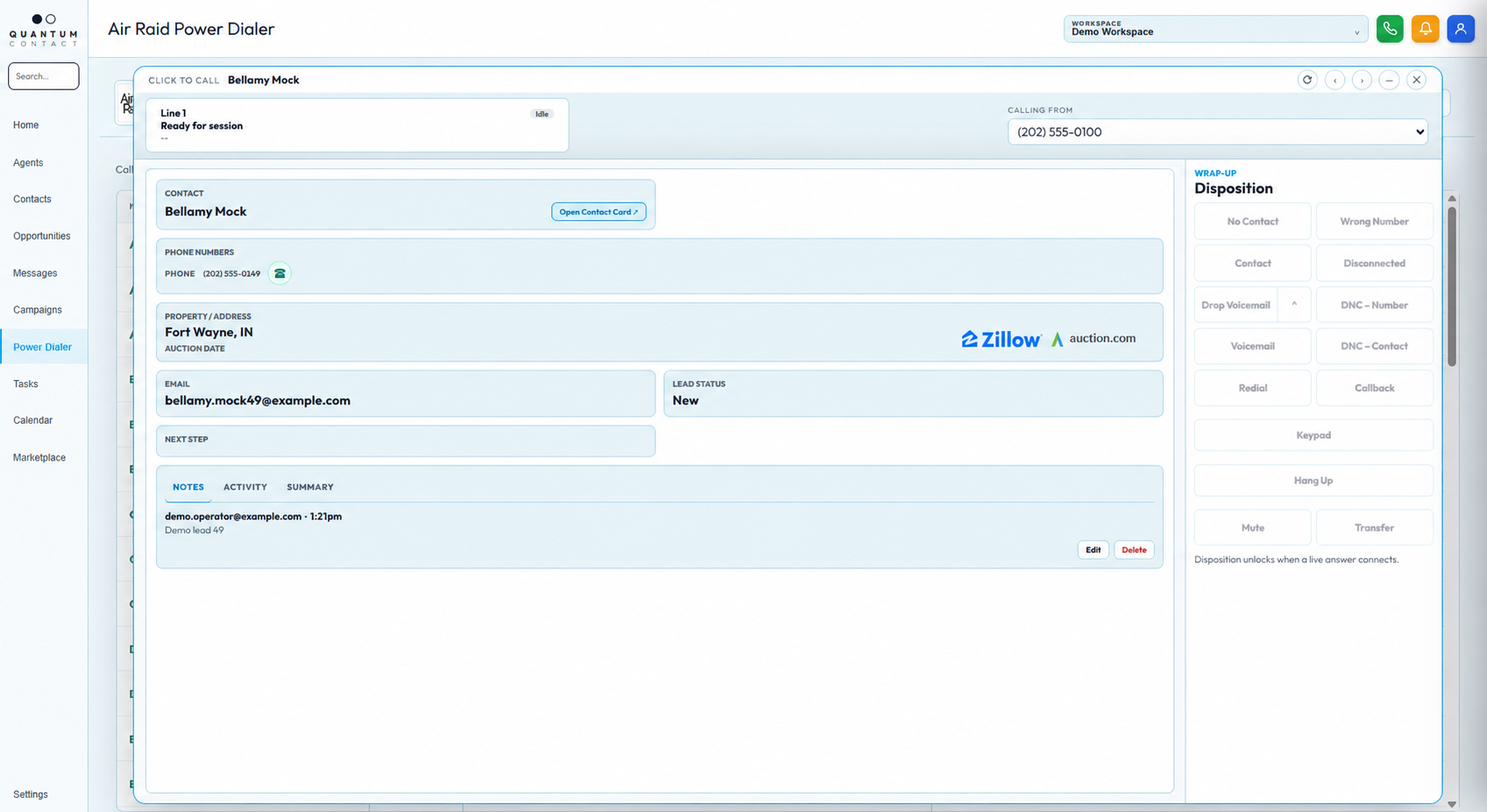
Built for the operator
Make campaign setup visible before the first call.
The launch flow can bring the campaign, caller ID, audio, call rules, retry behavior, and script into one deliberate setup step.
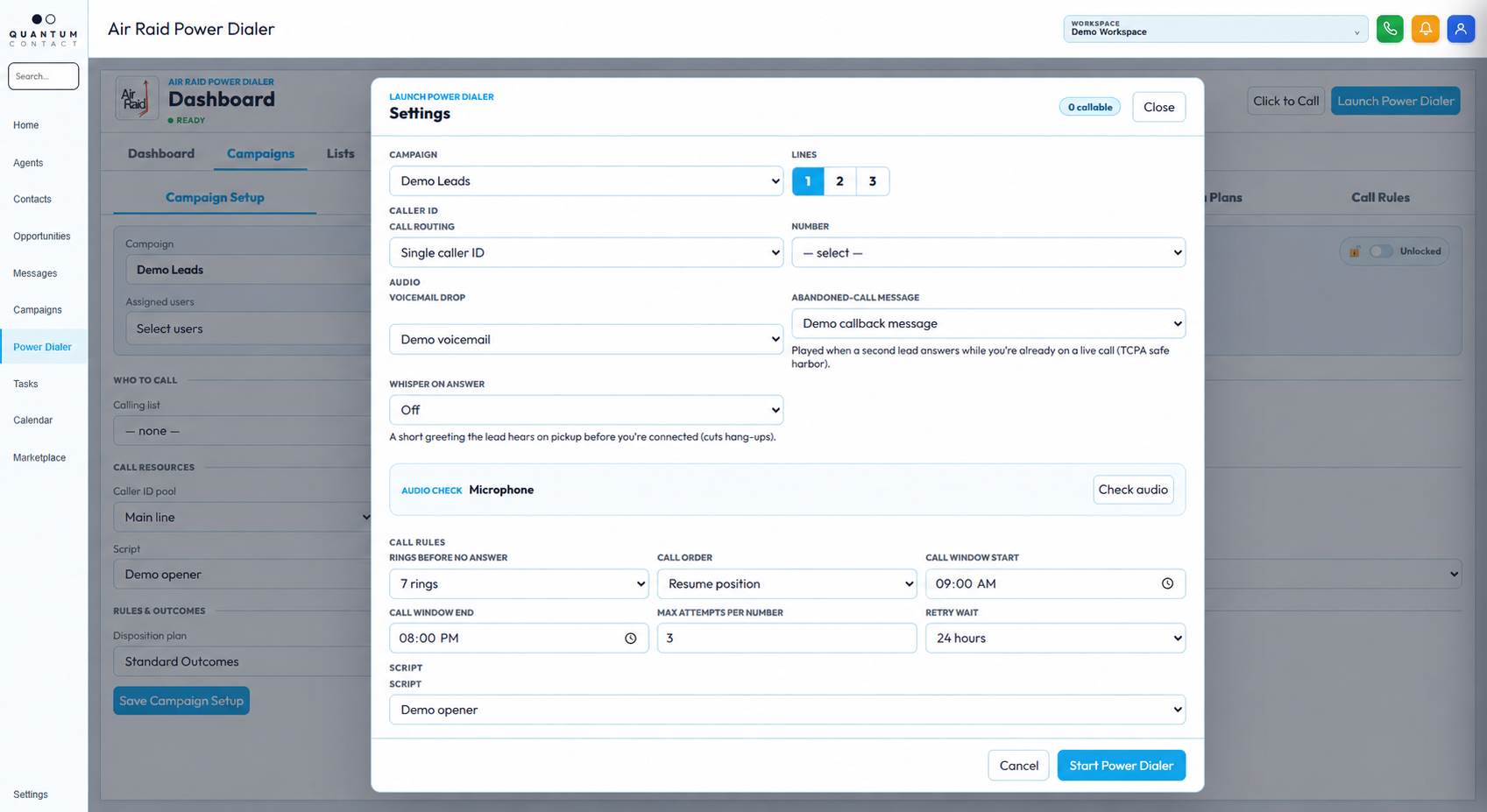
The system around the call
Leave the workflow better than you found it.
Campaign configuration, lists, scripts, pickup messages, outcomes, and call rules should remain understandable to the team operating them.
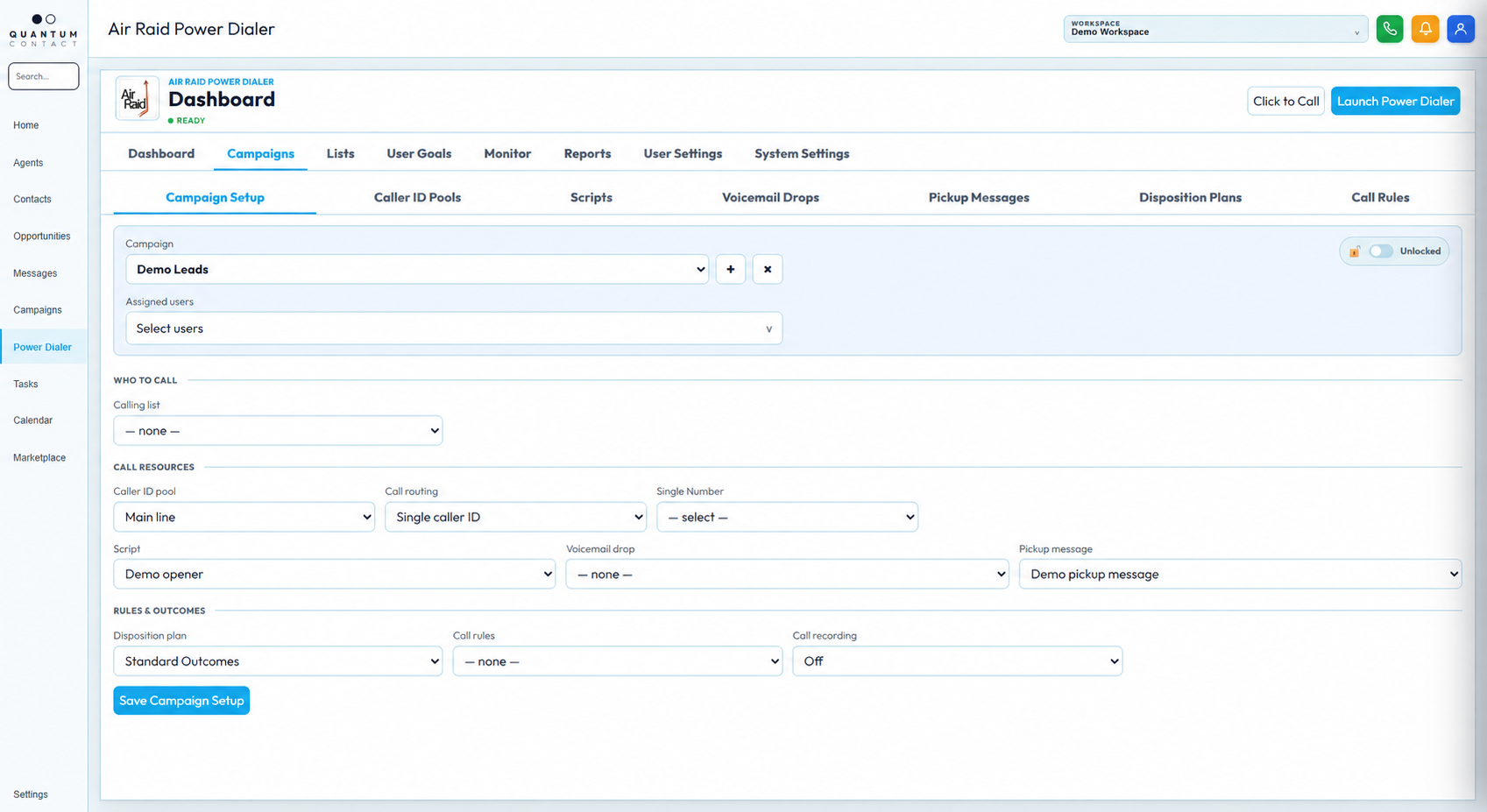
The workflow around the call
A conversation should leave the system better than it found it.
Load the right context
Start with the contact and the reason the conversation matters.
Make the call
Keep the communication step focused and easy to complete.
Capture the outcome
Use structured dispositions and notes instead of relying on memory.
Trigger the next move
Route follow-up, retry, or human review based on what happened.
A connected product
Build the communication system around the team you have.
Air Raid can deploy the Power Dialer as one part of a lead response, CRM, and follow-up operation. The goal is a useful loop, not more activity for its own sake.
See if it fits your workflow ↗Context before contact
Give the operator the information they need before the conversation starts.
Outcome before exit
Make the disposition part of completing the call, not an optional afterthought.
Next action before the queue
Let the result determine what the system and the team should do next.